

Real-time calls,running where you choose.
Audio and video meeting infrastructure for product teams. Use our workspace, build on the API, or discuss private deployment.
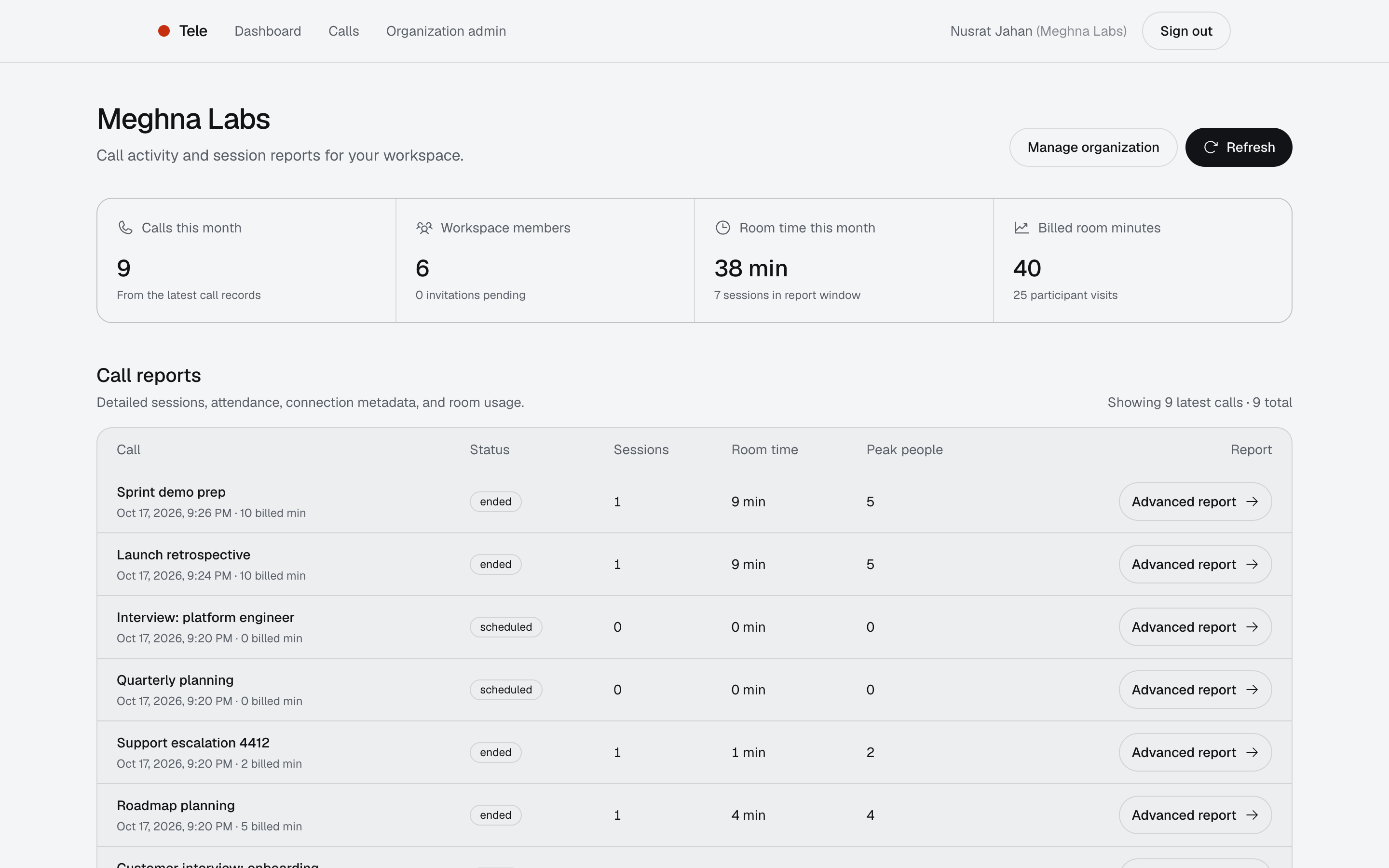
The organization dashboard, shown with sample data.
API and workspace
One product: embed calls in yours, or run them in ours.
Every team size
Free to start in the managed workspace, with capacity that grows as you do.
Ready call screen
One web element, or your own UI with guides for Web, Flutter, and Kotlin Multiplatform.
Self-hosted media
A Go service on a self-hosted media server.
Four ways to run Tele
Pick the path that matches how your team ships. Managed SaaS you can start today. The rest begin with a conversation.

Managed SaaS
Create an organization, invite colleagues with one-use links, and run calls in the Tele workspace. Free to start, including the admin, and it scales as your team grows.
What you get
- An organization with an admin and invited colleagues
- Scheduled calls, saved chat, and optional recordings
- Direct messages, with calls started from the conversation
- A web client with notifications
Sign in with Google and start. No sales call needed.
What is included
Calls, chat, and messaging share one workspace. The call features sit behind the API too, with webhooks and a ready call screen for your own product.
Built for teams of every size
One-to-one calls, team meetings, and larger groups run on the same platform. We scale capacity to what you need.
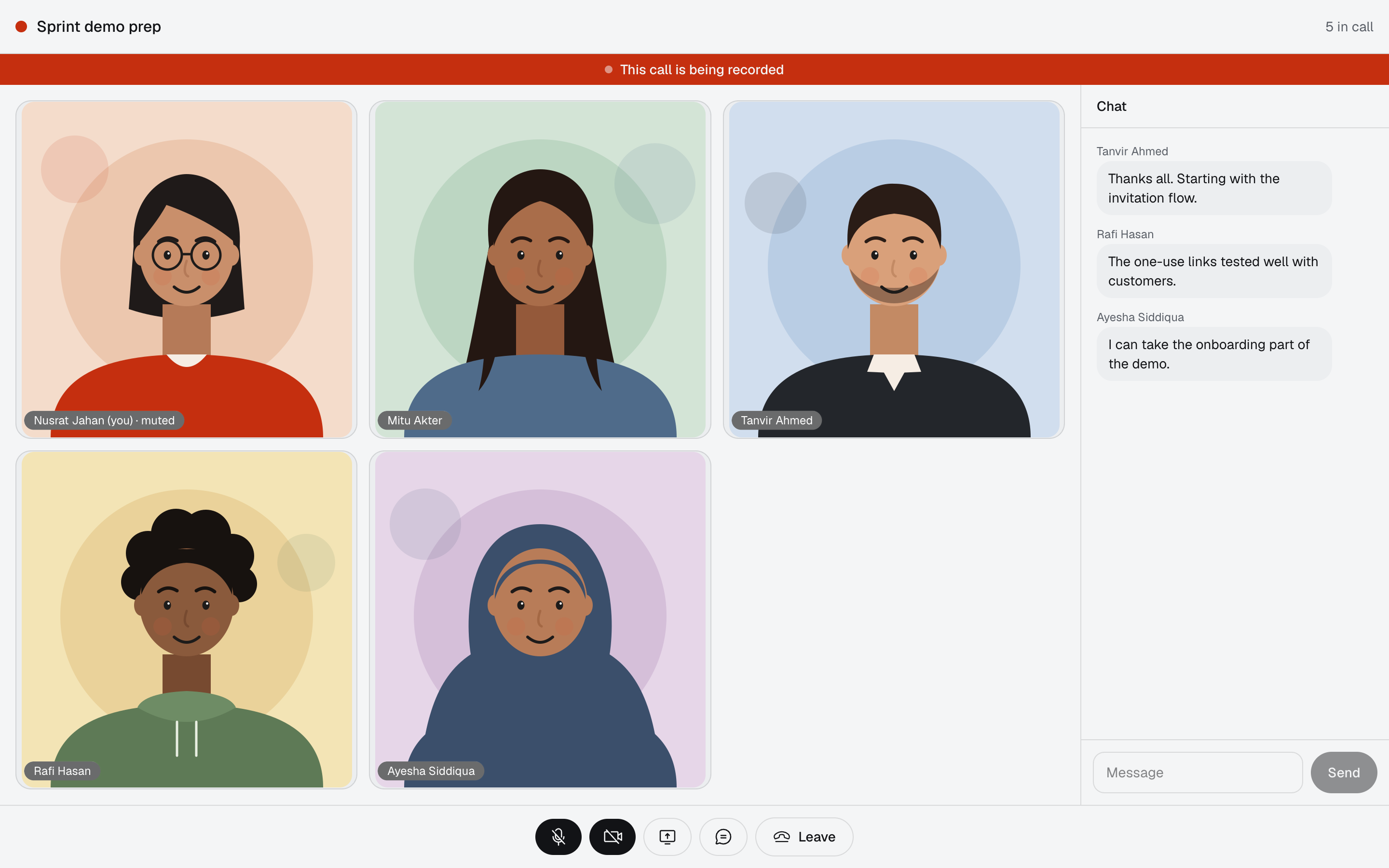
Scheduling and invitations
Set a time, list who is invited, and share a join link. Invite codes are stored only as hashes.
yourapp.example/call/q3V9x2…
Saved chat
Messages are stored with the call, so the thread is still there after everyone has left.
Optional recordings
Record the calls that need it. Recording is switched on per call, never by default.
Call reports and usage
After a call, read what happened and what it used.
- duration
- joins and leaves
- peak participants
- room-minutes
Direct messages and calls from chat
People in the same organization can message each other one to one. Start a call from the conversation: the other person is added to it, so there is no invitation to send.
Notifications
Get told about call invitations, scheduled calls, calls starting, chat, and direct messages, in the browser or on an iPhone Home Screen. Notifications name who and which call, never the message text.
A ready call screen for the web
Drop one element into a page and get the lobby, video tiles, screen share, and chat. Match it to your brand with CSS variables, in English or Bangla. Or build your own screen on the API.
<tele-call features="lobby chat"></tele-call>
Webhooks for your backend
Hear when a call starts or ends, who joined, when a recording is ready, and what a call used. Every event is signed and retried until your server takes it.
- call.started
- call.ended
- participant.joined
- recording.ready
Integrate in three moves
Your backend vouches for the user. Tele hands back what the client needs to join.
import "github.com/cloudguys-io/tele-go/teletoken"

var signer = teletoken.Signer{
  APIKey:    os.Getenv("TELE_API_KEY"),
  APISecret: os.Getenv("TELE_API_SECRET"),
}

func teleToken(w http.ResponseWriter, r *http.Request) {
  user := requireSession(r) // your auth

  token, _ := signer.UserToken(teletoken.User{
    ID: user.ID, Name: user.Name, Team: user.Team,
  }, 15*time.Minute)
  json.NewEncoder(w).Encode(map[string]string{"token": token})
}const res = await fetch(`${TELE_API}/v1/invites/${code}/join`, {
method: "POST",
headers: {
Authorization: `Bearer ${userToken}`,
"X-Client-Platform": "web",
},
});
const join = await res.json();Response
{
  "ws_url": "wss://…",
  "token": "eyJhbGciOi…",
  "ice_servers": [ … ],
  "role": "participant",
  "call": { "id": "…", "title": "Quickstart call" }
}// room comes from the media SDK for your platform
await room.connect(join.ws_url, join.token, {
rtcConfig: join.ice_servers
? { iceServers: join.ice_servers }
: undefined,
});
// The host's token carries room-admin permission
if (join.role === "host") showHostControls();Full reference, error codes, and client guides are in the developer guide.
Open-source SDKs
Libraries for Go and Python backends, plus call screens for the web, Next.js, and Flutter. Each installs from a tagged release on GitHub.
- tele-goBackendToken signer, a typed client for every endpoint, and a webhook handler for Go services.
go get github.com/cloudguys-io/tele-go@v0.2.0 - tele-fastapiBackendSigner, sync and async clients, webhook verification, and FastAPI routers for tokens and joins.
pip install "tele-fastapi @ git+https://github.com/cloudguys-io/tele-fastapi@v0.2.0" - tele-ui-packWeb UIThe <tele-call> call screen for any web app, with a React wrapper.
npm install github:cloudguys-io/tele-ui-pack#v0.2.1 - tele-nextjs-uiWeb UINext.js App Router components for invite previews, join pages, and the call room.
npm install github:cloudguys-io/tele-nextjs-ui#v0.2.0 - tele-flutterAppAn API client, a call controller, and a native call screen for Flutter on iOS, Android, and web.
git dependency, ref: v0.2.0 - How the pieces fitThe libraries share one set of backend routes, so a Go or Python backend works with the web and Flutter kits without configuration.Read the SDK guide
MIT licensed. Source and releases on GitHub.
Control and media take separate paths
Your backend and the Tele API decide who joins. Audio and video travel through a self-hosted media server, with relay support for restrictive networks.
Control path
Decides who may join and hands out join details.
Your backend
Holds the API secret
Your app
Web, Flutter, or Kotlin
Tele API
Returns join details
Media path
Carries the live audio and video.
Your app
Connects with join details
Relay
Only when a network needs it
Media server
Self-hosted, routes the call
The goal is low-latency, real-time calls. Because the media server is self-hosted, where calls run is a deployment decision rather than a vendor setting. We do not publish benchmark numbers, so we do not promise any.
Questions, answered
Not covered here? The form below goes straight to our team.
Tele is real-time audio and video meeting infrastructure for product teams. It combines a meeting API with a first-party workspace, so you can embed calls in your own product or run them in ours.
Tele is built for teams of every size, from one-to-one calls to large groups. Room size is configurable and we scale capacity to what you need, so tell us the sizes you expect and we will plan with you.
There are no published pricing tiers. A managed workspace organization is free to start. As your team or call volume grows, contact the team and we will work from your requirements.
If you want a ready workspace, start with managed SaaS. If calls belong inside your product, integrate the API. If they should carry your brand, or run in an environment you control, tell us what you need and we will talk it through.
Private and on-premises deployment is something we discuss case by case. It is not a self-serve product today, so contact the team with your requirements.
No. On the web, one element gives you a complete call screen: a lobby with camera and microphone pickers, video tiles, screen share, chat, and a recording banner. It takes the join details your backend already gets, matches your brand through CSS variables, and comes in English and Bangla. If you want full control, build your own screen on the API instead. The ready screen is web only, and access is arranged with the team.
Yes. Register an HTTPS endpoint and Tele sends signed events when a call is created, starts, or ends, when people join or leave, when a recording is ready, and when a chat message is saved. The call-ended event includes the duration and usage. Events never include IP addresses or chat text, and failed deliveries are retried for about a day.
Managed workspaces use Google sign-in. When you integrate the API, your own sign-in stays in charge: your backend signs a short-lived token for each user.
Recording is optional and switched on per call. Chat messages are saved with the call, direct messages are stored in the workspace, and each call has a report of who joined and the usage it generated. On request, a platform operator can permanently delete a person's direct message history.
Yes. In the managed workspace, people in the same organization can send each other one-to-one messages and start a call from the conversation. The other person is added to the call automatically, so no invitation is needed. Group chat rooms are not part of the product today.
Yes. The workspace can notify people about call invitations, scheduled calls, calls starting, chat, and direct messages. In a browser this uses web notifications, and on an iPhone it works once the workspace is added to the Home Screen. Notifications say who and which call, never what a message says.
Native Android and iPhone apps are in development for the managed workspace. They sign in with an account that already exists in your organization and do not create new accounts. They are not published in the app stores yet, so contact the team about access. The workspace also works in a mobile browser today.
Tele is designed for low-latency real-time media on a self-hosted media server, with relay support for restrictive networks. We have not published benchmarks or uptime commitments, so we do not quote numbers. Ask the team about your regions and networks.
Tell us what you are building
Say which path you are weighing and where calls need to run. The team will reply about managed SaaS, API integration, white-label, or private deployment.
There are no published pricing tiers. We scope from your requirements.